Linux 系統認証課程(全新 2013 更新內容)
LPI Level 1
+
Novell Certified Linux Administrator (Novell CLA)
國際認可証書
Linux 是全球最多人使用之 Open Source 作業系統,它以Unix為基礎,不但功能強勁,更免費提供系統程式碼下載,讓公眾人仕免費使用,所以吸引全球企業和政府機構廣泛使用。由於 Linux 系統穩定性強,很多人應用來建立 Web Server、Mail Server及File Server 等。
LPI Linux Certification 在市場上較為人熟悉的 Linux 專業證書, LPI 全名是 Linux Professional Institute ,是一個來自加拿大的非牟利 Linux 專業團體所頒發之證書。 LPI 受到多間 IT業界巨頭公司所支持,有 IBM , HP 和 SGI 等,而支援的 Linux 平台有 SuSE, Caldera, Red Hat 和 TurboLinux 等,範圍之廣泛,實在不可輕視。
我們的 Linux 國際認可証書課程適合應考 I.T. 界不同類型的 Linux 專業證書,包括 LPI Level 1 及 Novell CLA,同學們真正可以做到只需修讀一個課程,便可參加 2 個考試取得 LPI Level 1 及 Novell CLA 証書, 方便及慳時間。
本課程將教授 Linux 網絡的建立,操作及管理,由淺入深,為你打下穩固的 Linux 網絡根基。修畢本課程後,學員可考取 LPI Level 1 及 Novell CLA 國際認可證書。本課程籌備多時,精心編排。由上堂、溫習、實習、做試題、考試研習至最後考試,均為你度身訂造,作出有系統的編排。務求真正教識你,又令你考試及格。
本課程為期 24 小時(包括理論及示範),完成課程後,即可報考有關之考試。
LPI 的認證資格
LPI 的考試共分三級,由 Level 1 至 Level 3,考取 Level 1 證書需要通過 2 個考試,分別是 Exam 101 和 Exam 102。 LPI Level 1 的考試要求合格分數不算太高, 兩科滿分為 800,合格要求分數分別為 500 及 520。
只要你於下列2個科目取得合格成績,便可獲 LPI 頒發 LPI Level 1 證書並獲由 Novell 頒發的 Novell CLA(Certified Linux Administrator)證書:
| 考試編號 |
科目名稱 |
| 117-101 |
LPI Level 1 Exam 101 75 Questions |
| 117-102 |
LPI Level 1 Exam 102 71 Questions |
LPI 證書非常受 Linux 愛好者及企業系統管理員歡迎,尤其是 Level 1 證書,不單止易考,而且合格率亦非常之高。以本中心過往參加 LPI Level 1 考試的學生為例,幾乎所有同學都能輕易通過兩科考試,獲得專業證書。
本中心最新推出的綜合 LPI Level 1 + Novell CLA 課程旨在讓學生有機會學習更深層次的 Linux 技術,了解不同牌子 Linux 的特徵和操作技考,掌握如何在企業上更有效運用 Linux 的各項功能以及網絡管理技術。
(117-101) LPI Level 1 Exam 101
試題數量: 65 題
考試時間: 90 分鐘
合格分數: 50 %
模擬試題參考
(117-102) LPI Level 1 Exam 102
試題數量: 58 題
考試時間: 90 分鐘
合格分數: 50 %
模擬試題參考
授課導師擁有10年認可考試課程教學經驗 ,同學在完成30個小時的專業課程後,我們更安排學生在VUE 認可考試中心報考,考試費用為 HK$1280,考取合格後即可成為 LPI 及 Novell CLA 認証人仕。
Linux 課程內容:
GNU and Unix Commands
- Work Effectively on the Unix Command Line
- Process Text Streams Using Text Processing Filters
- Perform Basic File Management
- Use Unix Streams, Pipes, and Redirects
- Create, Monitor, and Kill Processes
- Modify Process Execution Priorities
- Perform Searches of Text Files Making Use of Regular Expressions
Devices, Linux File Systems, Filesystem Hierarchy Standard
- Create partitions and filesystems
- Maintain the integrity of filesystems
- Control filesystem mounting and unmounting
- Set and view disk quota
- Use file permissions to control access to files
- Manage file ownership
- Create and change hard and symbolic links
- Find system files and place files in the correct location
Boot, Initialization, Shutdown, Run Levels
- Boot the system
- Change runlevels and shutdown or reboot system
Documentation
- Use and Manage Local System Documentation
- Find Linux documentation on the Internet
- Write System Documentation
- Provide User Support
Administrative Tasks
- Manage users and group accounts and related system files
- Tune the user environment and system environment variables
- Configure and use system log files to meet administrative and security needs
- Automate system administration tasks by scheduling jobs to run in the future
- Maintain an effective data backup strategy
Hardware & Architecture
- Configure fundamental system hardware
- Setup SCSI and NIC Devices
- Configure Modem, Sound cards
Linux Installation and Package Management
- Design hard-disk lay-out
- Install a boot manager
- Make and install programs from source
- Manage shared libraries
- Use Debian package management
- Use Red Hat Package Manager (rpm)
Kernel
- Manage kernel modules at runtime
- Reconfigure, build and install a custom kernel and modules
Text editing, Processing, Printing
- Perform basic file editing operations using vi
- Manage printers and print queues
- Print files
- Install and configure local and remote printers
Shells, Scripting, Programming, Compiling
- Customize and use the shell environment
- Customize or write simple scripts
X Windows
- Install & Configure XFree86
- Setup XDM
- Identify and terminate runaway X applications
- Install & Customize a Window Manager Environment
Networking Fundamentals
- Fundamentals of TCP/IP
- TCP/IP Troubleshooting & Configuration
- Configure and use PPP
Networking Services
- Configure and manage inetd and related services
- Operate and perform basic configuration of sendmail
- Operate and perform basic configuration of apache
- Properly manage the NFS, smb, and nmb daemons
- Setup and configure basic DNS services
Security
- Perform security admin tasks
- Setup host security
- Setup user level security
適合人仕 :
有志投身 I.T. 界的人仕,網絡管理人員,系統工程師。
修讀條件 :
對 Linux 系統有興趣的學員 |
LPI Level 1 Certifiate
|
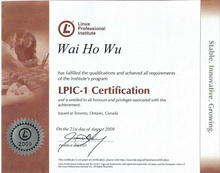 LPIC-1 Certificate
 |
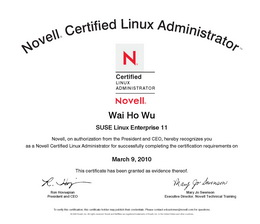
Novell CLA Certificate
|
課程包括 :
- 導師精心編製 Linux LPI 筆記及 20 本 LPI/Linux 認証考試的電子書課本和參考書
- 課堂上理論和實習同時進行,一人一機,理論與實習同時進行
- 再配合不同層次的 Lab Test 練習
- 由擁有多年 Linux 工作及實戰經驗導師任教
- 每月更新的模擬試題連參考答案 (模擬試題 "一年" 免費更新保證,考試更有彈性)
- 保證合格,否則免費重考
- 免費提供高清視像影片作補堂或重溫之用 (不用等侯,即時補堂)
|
授課語言 : 以廣東話授課為主,亦會以英語輔助。
課程全長 : 24 小時 / 共 8 堂
開課日期 :
|
Linux LPI Level 1 + Novell CLA 課程 HK$2080 |
|
Exam Code:
117-101 及 117-102 |
| Class/Course |
Date Start |
| Video-LPI |
日間 LPI Video 課程,Video 價 $1664 Video 課程的優點
免費試睇: 首 1 小時,請致電與本中心職員預約。
合格保障: 117-101半費重考
享用時期: 請與我們聯絡,進度由您控制,可快可慢。 |
教學質素保證:
- 合格保証!不幸肥佬半費重考!
- 提供最Update模擬試題連參考答案,令你最有效率通過考試
- 保証一人一機!
- 免費提供高清視像影片作補堂或重溫之用 (不用等侯,即時補堂)
- 彈性上課/補堂時間!詳情請電 3426-8614 查詢
課程費用 :
| Linux LPI Level 1 + Novell CLA 課程 |
24 Hr |
特價 $2080 |
半費重考!
現在報讀
Linux LPI Certification 認證課程,您都可以獲得我們提供
合格保證 。 同學如 LPI Level 1(117-101)考試不合格的話,可
半費重考一次,讓您更輕易,更有信心踏出第一步 。
(教學質素保證,如考試不合格的同學,可免費重讀)